


During a conversation
During a conversation: pausing, ending, and what the orb is doing
How to move around a conversation — the controls, stepping away and back, and reading the orb.
Once you've started, you're in a conversation. Here's what you're looking at and how to move around.
What the orb is doing
The orb moves with the conversation, so you always know where things stand:
- Myndo is waking up — it's connecting and getting ready.
- Listening — it's your turn; Myndo is hearing you.
- Thinking — it's taking in what you said.
- Speaking — Myndo is talking, and the orb moves with its voice.
If you go quiet, the orb goes still. That's not a freeze — it's just space. Pick back up whenever you're ready.
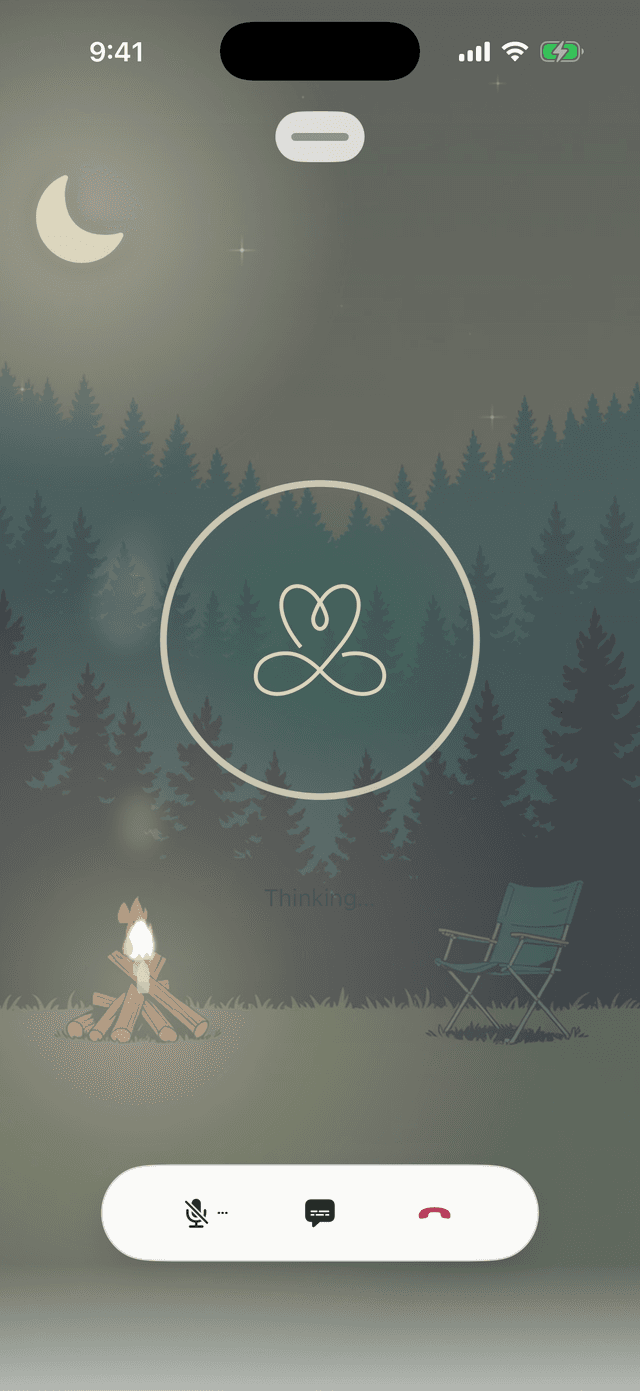
The controls
Along the bottom you'll find three things:
- Mute — pause your microphone when you need a moment, then tap again to come back.
- Transcript — open the drawer to read the conversation as it unfolds.
- End — finish the conversation.
On iPhone the controls are icons; on Android they're labelled.
Stepping away and coming back
Need to do something else mid-conversation? Minimise it — the conversation keeps going, and a small bar shows it's still live. Tap that bar to drop straight back in, right where you left off.
Note: On the web, tap Minimize to step away, then Return to come back. Keep the tab open to stay connected.
Ending
Say goodbye or tap End. Myndo won't hang up on you mid-thought — if you're in the middle of something, it'll offer a soft place to close first.
When you're done, a short summary lands in Journey, and anything worth keeping shows up in Self.