


Getting the most out of Myndo
Save and share your weekly poster
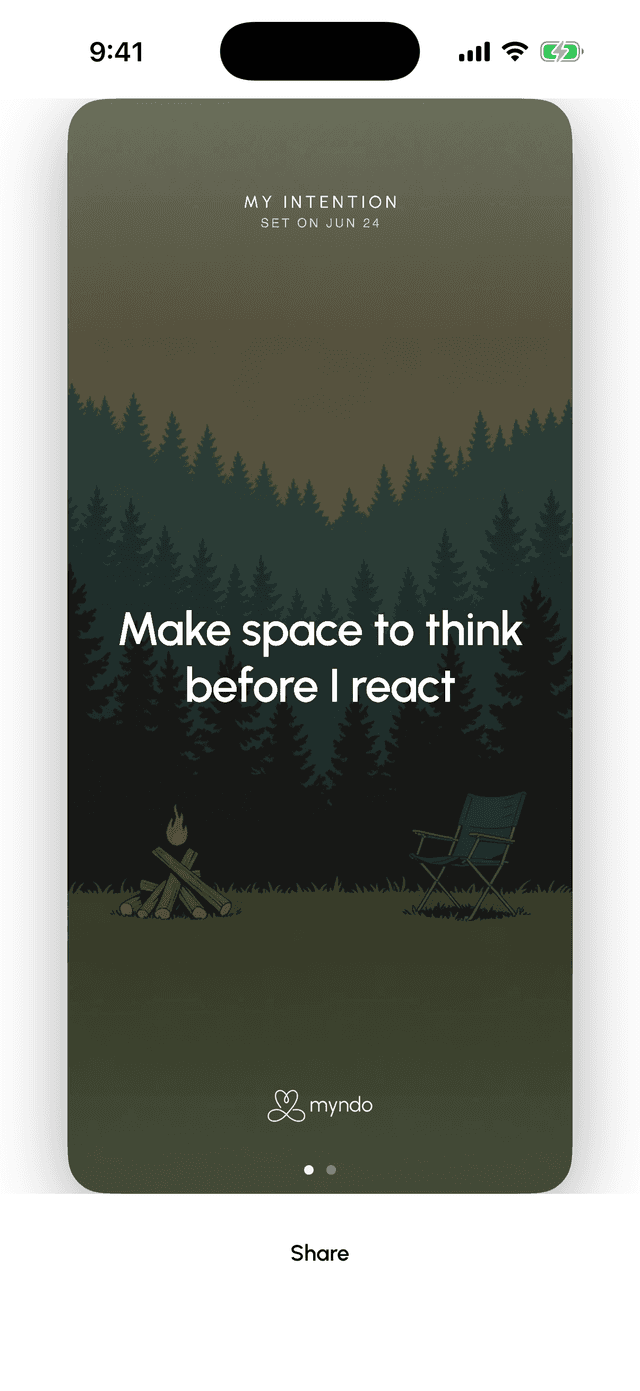
Turn your weekly intention — or a line of your own — into a poster. Share it, or make it your wallpaper to stay on track.
At the end of your weekly review, Myndo can turn the week into a poster — either your intention for the week, or a line you said in your own words. It's a small way to keep what matters in front of you.
Make one
On iPhone and Android, open your weekly review and tap See this week's posters. Swipe through the options, then tap Share.
Keep it where you'll see it
From the share sheet you can save the image — and that's where it earns its keep:
- Set it as your wallpaper — lock screen or home screen — so your intention meets you every time you pick up your phone.
- Use it as a watch face, for an at-a-glance reminder through the day.
- Or share it with someone you'd like to keep you honest.
Keep it in view another way
Prefer something that updates on its own? Add the Intention widget to your home screen — it always shows your current intention. See Add Myndo to your home screen and shortcuts.
Note: Posters are on iPhone and Android. They aren't part of the web app.